

Widget Installation
Include the installation script before the</body> tag on every page you want Adam to show, replacing CLIENT_ID with the relevant community ID:
Widget API
The below describe the options and methods that can be called in the Widget API to customize behaviour of the chat widget.Methods
The below methods can be called:init(reference, options)
init(reference, options)
Initializes Adam, and returns the instance.It takes two arguments:You can find more options to customize the widget below.
reference: A unique reference for the instance (use adam if unsure):options: An options object to configure the widget (clientId and source are mandatory):remove()
remove()
Disconnects the chat and removes it from the page:In order to initialize the chat again, you must use the init() method detailed above.
openChatWindow()
openChatWindow()
Acts like a click on the Adam launcher, opening the chat window. This can be especially useful for mobile, where you might not want the launcher button to show - rather you can create a custom element and trigger the opening of the chat window programatically:
closeChatWindow()
closeChatWindow()
Closes the chat window:
Available Options
These values enable you to tailor the widget to your requirements.clientId
clientId
stringThis is a mandatory field. Pass the clientId relating to your community.source
source
stringThis is a mandatory field. Pass one of the following values to identify the channel that the conversations is being held on:- portal - if the user is accessing Adam via a private/secure portal
- website - if the user is accessing Adam via a public website
clientInfo
clientInfo
objectYou can optionally pass a clientInfo object to initiate the chat with the user information pre-loaded (e.g. for use in resident portals in logged-in state):- firstName
string: user’s first name - lastName
string: user’s last name - phoneNumber
string: user’s registered phone number - email
string: user’s registered email address - unit
string: apartment number - address
string: property address
colors
colors
objectYou can optionally pass a colors object to tailor the colors used in the widget to your brand:- background
string: 6-digit HEX or RGB string - foreground
string: 6-digit HEX or RGB string - text
string: user’s 6-digit HEX or RGB string
colors object, the icon on the launcher button will change from the Travtus T logo to a message bubble.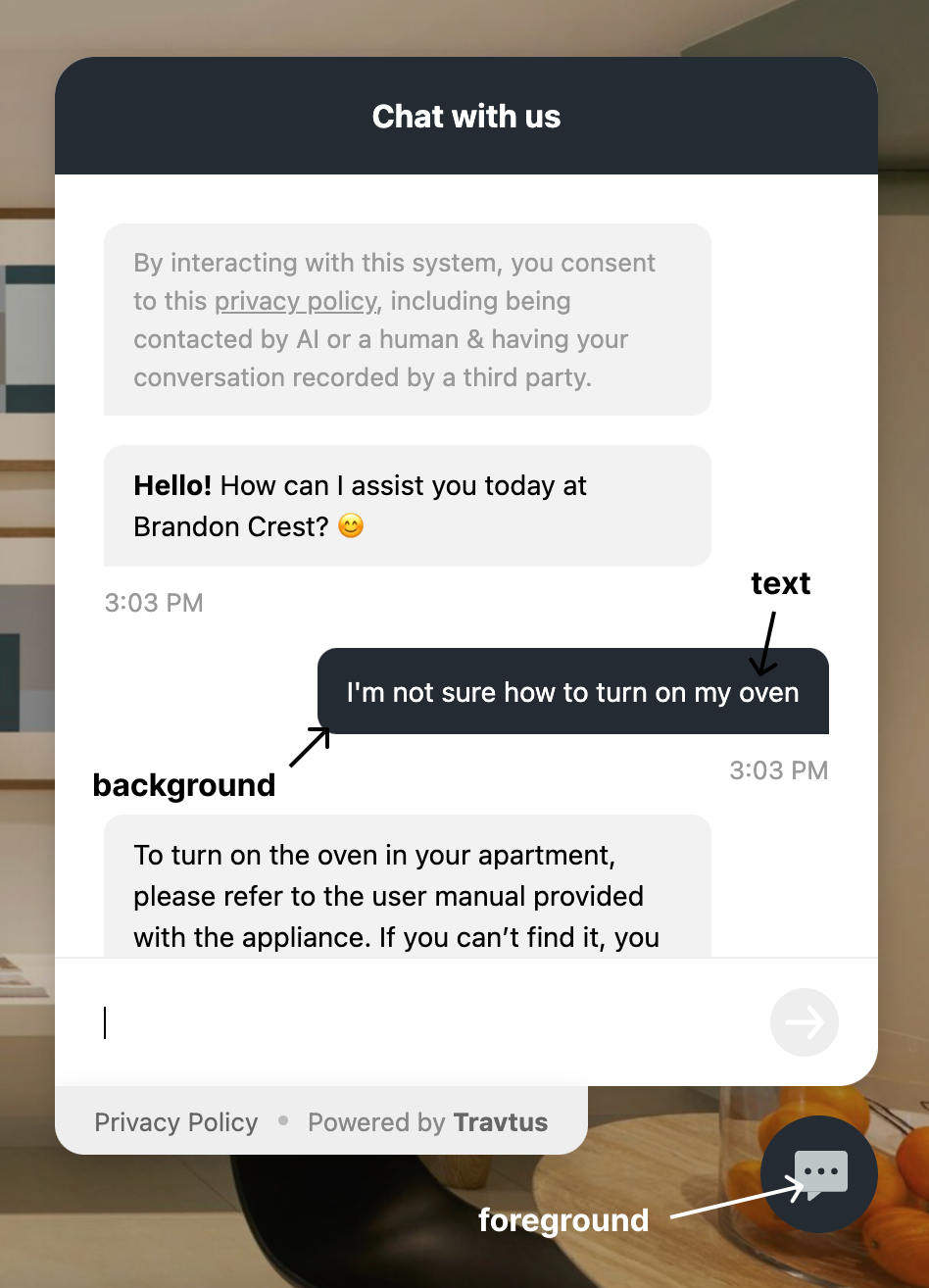
position
position
stringSets which corner of the viewport the launcher and chat window appear in on desktop. Defaults to "BR" (bottom right).Pass one of the following values:- TL - top left
- TR - top right
- BL - bottom left
- BR - bottom right
breakpoint
breakpoint
numberThis is the resolution at which the chat window should switch from full screen (mobile view) to a corner overlay (desktop view). The corner is determined by the position option. Defaults to 769 (tablet portrait).Mobile view: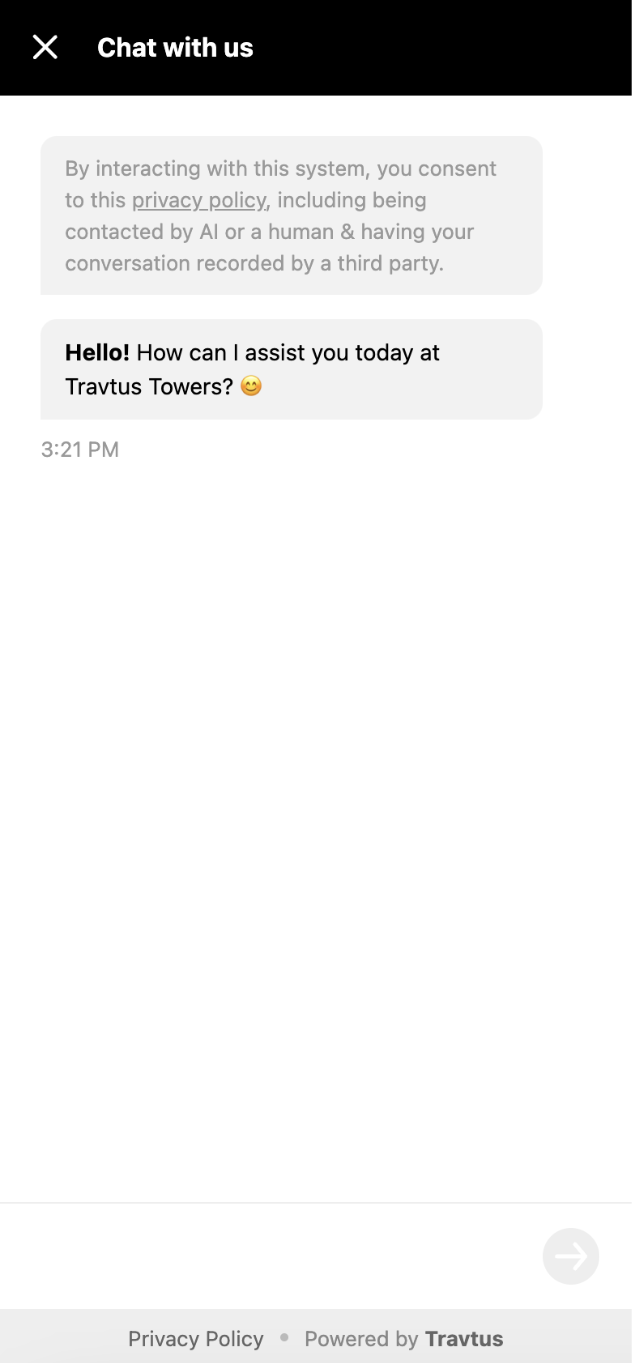
hideLauncherOnMobile
hideLauncherOnMobile
booleanYou can choose to hide the launcher button on mobile, and to instead open the chat window programatically using the openChatWindow() method. This defaults to false.